








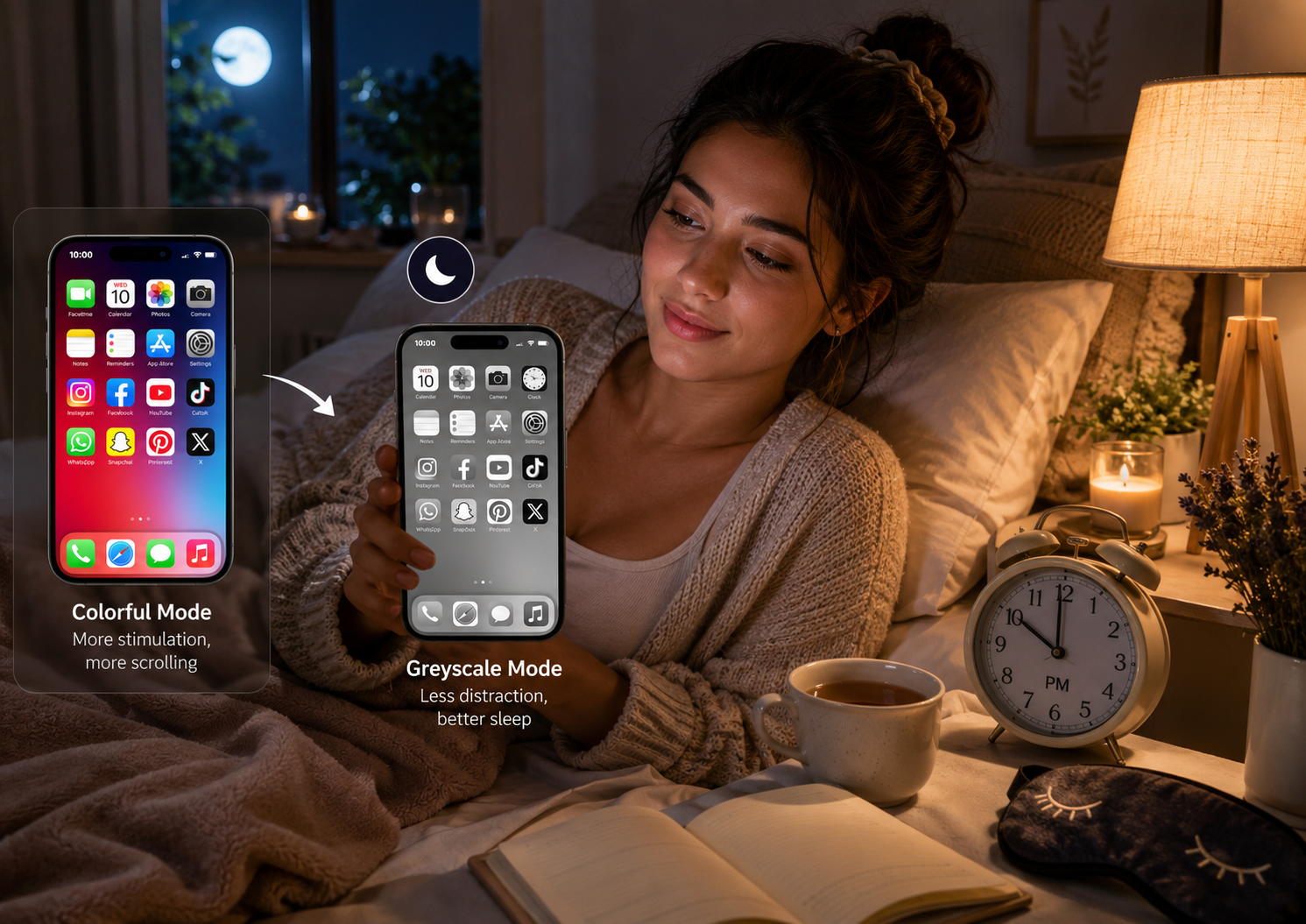
If checking social media before sleeping has become part of your nightly routine, you’re not alone. Many people spend hours scrolling through colorful videos, photos, and notifications without realizing how much it affects their sleep. One simple habit gaining attention in 2026 is switching your phone to greyscale before bed.
Greyscale mode turns your screen from bright, colorful images into shades of black, white, and grey. While it may seem like a small change, many people find it reduces the urge to keep scrolling late at night. Combined with healthy bedtime habits, this simple setting can help you disconnect from your phone and prepare your mind for better rest.
In this article, we’ll explore why greyscale mode is becoming a popular digital wellness habit and how you can use it to improve your sleep routine.
What Is Greyscale Mode?
Greyscale mode removes all colors from your phone’s display, showing everything in different shades of grey.
Your apps, games, photos, and social media feeds still work exactly the same, but without their bright colors.
Most smartphones include this feature as part of their accessibility settings, making it easy to turn on whenever you want.
Why Colors Keep You Hooked
Social media platforms and mobile apps are designed to catch your attention. Bright colors, notification badges, and eye-catching images encourage you to stay engaged for longer.
When your screen becomes grey instead of colorful, many apps feel less exciting. As a result, you may naturally lose interest and put your phone down sooner.
This isn’t about removing your phone from your life—it’s about making it easier to control your screen time.
How Greyscale Can Support Better Sleep
While greyscale mode isn’t a cure for poor sleep, it can help reduce one common problem: endless bedtime scrolling.
By making your phone less visually stimulating, greyscale may help you:
- Spend less time on social media before bed.
- Reduce unnecessary screen time.
- Feel less tempted to open one app after another.
- Build healthier nighttime habits.
- Create a calmer bedtime routine.
Many people notice they stop checking their phones much sooner once the colorful interface disappears.
It Works Best with Good Sleep Hygiene
Switching your phone to greyscale works best when combined with other healthy sleep habits.
Try to:
- Avoid caffeine late in the evening.
- Keep your bedroom cool and comfortable.
- Follow a consistent sleep schedule.
- Dim the lights before bedtime.
- Avoid checking work emails late at night.
- Put your phone away 30–60 minutes before sleeping whenever possible.
Together, these habits can help your body recognize that it’s time to wind down.
How to Turn On Greyscale Mode
Most smartphones include a greyscale option, although the exact location may vary depending on the device and software version.
On Android
- Open Settings.
- Go to Accessibility or Digital Wellbeing.
- Find Color Correction, Bedtime Mode, or Greyscale.
- Turn on Greyscale manually or schedule it to activate automatically before bedtime.
On iPhone
- Open Settings.
- Tap Accessibility.
- Select Display & Text Size.
- Tap Color Filters.
- Enable Color Filters and choose Greyscale.
You can also create a shortcut so greyscale turns on with a triple-click of the side button.
Does Greyscale Really Work?
Greyscale isn’t a magic solution, but many people find it helpful because it makes their phone feel less entertaining. Bright colors are designed to grab your attention, while a grey screen feels calmer and less rewarding.
If you often tell yourself, “I’ll scroll for just five minutes,” but end up staying awake for an hour, greyscale may help you break that habit.
The biggest benefit comes from reducing the temptation to keep opening apps—not from changing the screen itself.
Other Ways to Improve Your Sleep
Greyscale works even better when combined with healthy nighttime habits.
Try these simple tips:
- Set a fixed bedtime every day.
- Avoid heavy meals right before sleeping.
- Keep your bedroom quiet and dark.
- Turn off unnecessary notifications at night.
- Read a book instead of scrolling on your phone.
- Practice deep breathing or light stretching before bed.
- Keep your phone away from your pillow.
Small daily habits often lead to better sleep over time.
Common Myths About Greyscale Mode
Myth 1: Greyscale Improves Sleep Instantly
Not exactly. Greyscale helps reduce the temptation to keep scrolling, but good sleep also depends on your overall bedtime routine.
Myth 2: Greyscale Replaces Blue Light Filters
No. Greyscale removes color, while blue light filters reduce the amount of blue light emitted by your screen. These are different features and can often be used together.
Myth 3: You Need to Keep It On All Day
Not at all. Many people only enable greyscale during the evening or before bed, allowing them to enjoy full-color mode during the day.
Frequently Asked Questions
Should I switch my phone to greyscale every night?
If you tend to use your phone for long periods before sleeping, enabling greyscale in the evening may help reduce unnecessary scrolling.
Does greyscale reduce blue light?
No. Greyscale changes the screen to shades of grey but does not replace a blue light filter or Night Mode.
Can greyscale reduce phone addiction?
Some people find that greyscale makes social media and games less visually appealing, which can naturally reduce screen time.
Will greyscale improve my sleep?
Greyscale alone won’t guarantee better sleep, but it can support healthier bedtime habits by making it easier to put your phone away.
Final Thoughts
Healthy sleep starts with healthy habits, and your phone plays a bigger role than many people realize. Switching your phone to greyscale before bed is a simple change that can make late-night scrolling less appealing and encourage you to disconnect sooner.
While it’s not a replacement for a consistent bedtime routine, greyscale can be a useful part of your digital wellness toolkit. Pair it with reduced screen time, a relaxing evening routine, and regular sleep hours to give yourself the best chance of waking up refreshed.
Sometimes, the smallest habit changes lead to the biggest improvements.